
Nintendo NES Pinball Controller
A good many pinball style games came out for the Nintendo NES (okay just about six) but no unique peripheral was ever officially released for them, each expecting you to play them on a standard gamepad instead. There was usually no end of gimmick niche controllers for the NES so this felt like a fun project playing into the idea that companies would release anything for the Nintendo in the 1980s to make a buck, regardless of how well it worked. Well, this does work! With side buttons for flippers and a sliding pull knob to launch the ball in-game, it's not going to guarantee better high scores but it might make things a little more immersive. This project was completed in July of 2025.
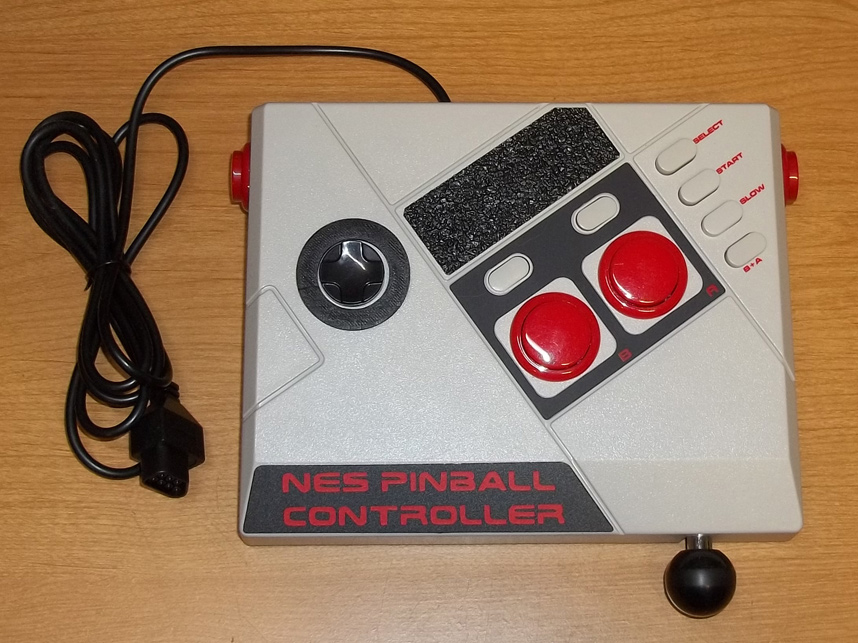
1. Introduction
The NES Pinball Controller started life as an Emio Edge Joystick for the NES Classic (or really, just a glorified Wii Virtual Channel controller.) It was cheap at the time because the market had moved on which made it a perfect candidate since the NES aesthetic was already there. The heft and dimension were perfect for the intentions of making this a controller you rest on a coffee table or desktop to use, or even your lap.
Operation is fairly simple with the side buttons duplicating the A/B buttons of a standard gamepad, along with a pull knob which is spring tensioned so it automatically slides back once released to launch the ball. There are switches to toggle various compatibility modes with all of the officially released NES pinball titles since each had slight variations on what buttons performed specific actions. Finally, there is a d-pad, select, start, and A/B functionally represented on top of the box.
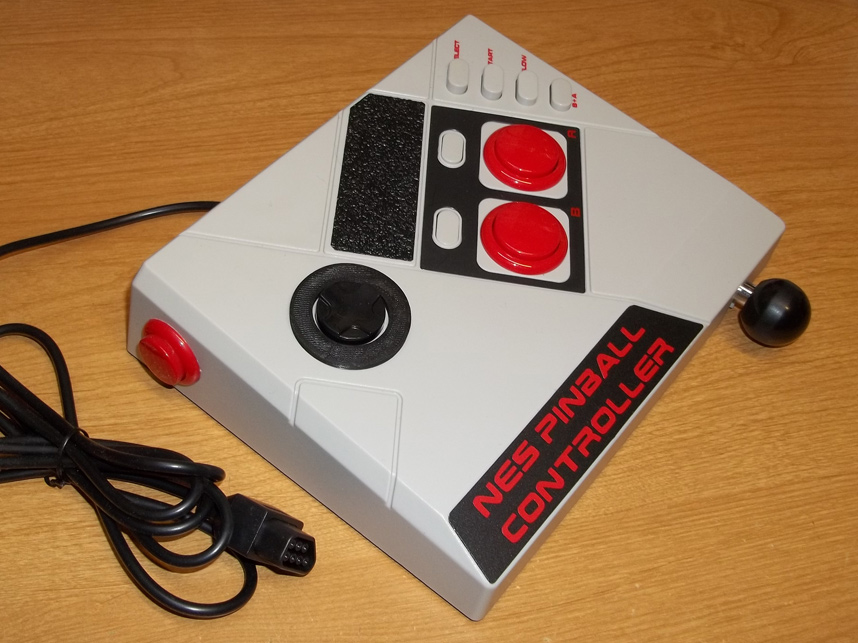
2. Another Angle
Three-quarters view of the final design. Some decals and textured heavy duty vinyl was used to hide the original Emio logo and unsightly holes where potentiometer knobs used to dwell, helpfully tying the classic NES black/gray/red aesthetic together.
The original joystick PCB was removed entirely and a simple CD4021 based circuit board was tucked in its place instead. Electronically nothing fancy really, it works like an oversized gamepad.

3. New Parts
Through CAD a great many new parts were required however, mostly retention brackets to help suspend a d-pad where the joystick used to mount, and help hold the switches responsible for the different compatibility modes.
The sliding pull knob is the most complicated piece, ultimately the crown jewel which solidifies this gadget's identity. The design is rather economical for the fact that it reuses the Emio's joystick shaft and ball knob.
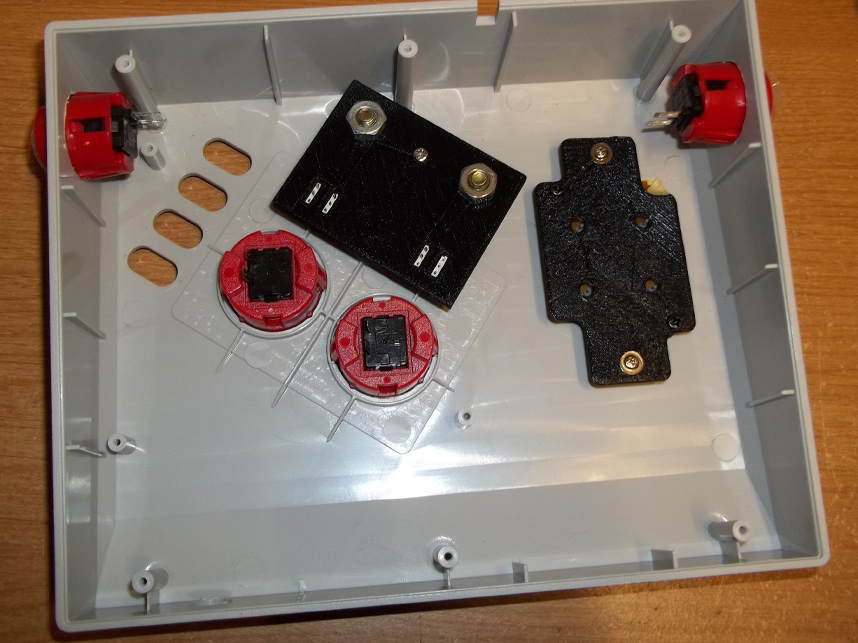
4. Inside
The side buttons as well as the top buttons all use microswitches to give the controller a premium feel over the typical third-party peripherals that were notorious for using mushy rubber membrane contacts.
Here you can also see some of the FDM printed retention brackets in place before any of the circuitry is to be wired up.
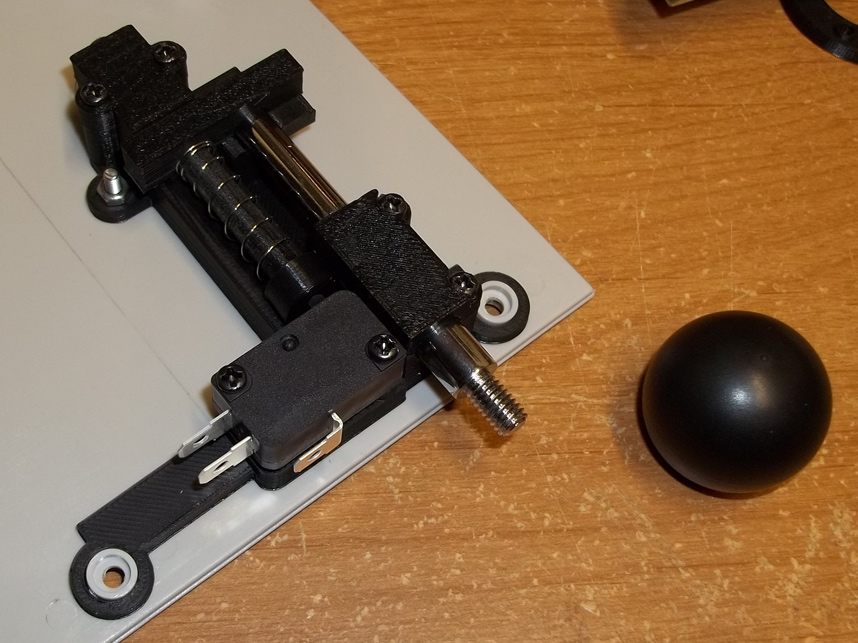
5. Springy Sliding
A close up of the best part for the entire build. This device is spring tensioned so that it always applies pressure to a switch inside once pulling begins, then immediately retracts the shaft back into the controller once it is released, disengaging the switch to signal to the game when it's time to launch the ball.
For however long the shaft is pulled is how long the ball's launcher will tension in-game too, preserving strategy within the framework of a novel mechanism existing outside of the TV screen.

6. Power Pull
Now you're pulling with power!
Most games defaulted to the A button for the plunger action, but a few were different:
High Speed: Plunger uses A button
Pinball: Plunger uses A button
Pinball Quest: Plunger uses A button
Pinbot: Plunger uses B button
Rock 'n Ball: Plunger uses Down direction
Rollerball: Plunger uses A button
So to swap the plunger to the B button for Pinbot the B+A switch on top of the controller had to be pressed in. Then to make the plunger use the Down direction for Rock 'n Ball, the Slow switch had to be pressed in as well.